

User guide · 06
Website Studio
Build your studio website on Shotpik and approve client reviews.
Updated
Website Studio builds a website for your studio at your-name.shotpik.com (or your own domain). No coding: fill in the left side and see the preview on the right.
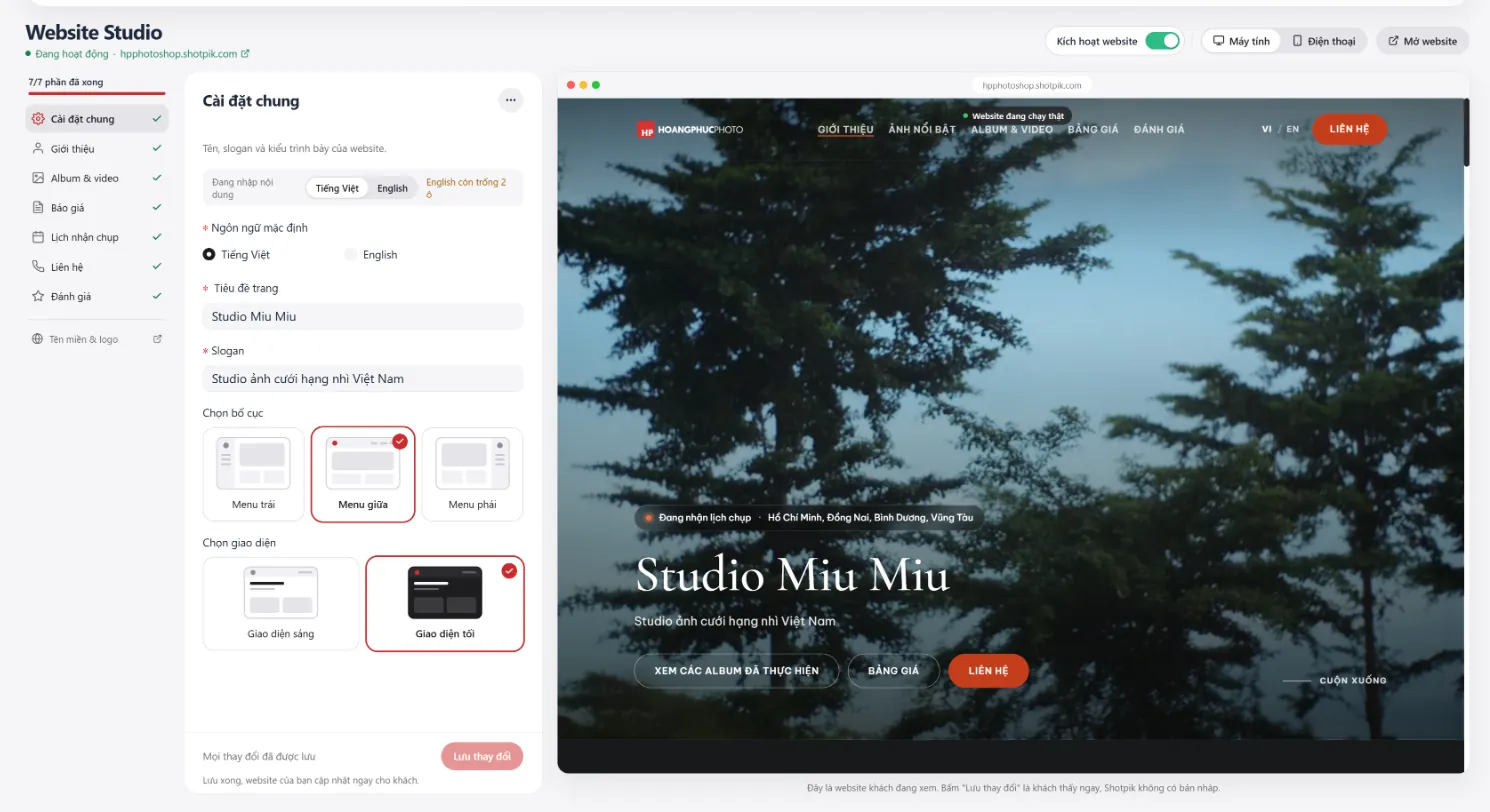
Website sections
Press Website Studio in the top menu. The left column lists each section; a green tick means done (for example 7/7 done).
| Section | Content |
|---|---|
| General settings | Default language, page title, slogan, menu layout (left, centre, right), light or dark theme. |
| About | Your studio's story and pictures. |
| Albums & videos | Your best sets and videos. |
| Pricing | Your packages and prices. |
| Booking calendar | Areas and dates you are taking bookings for. |
| Contact | Phone, address, social links. |
| Reviews | Praise from past clients (below). |
| Domain & logo | Opens account Settings for domain, logo and favicon. |
- Vietnamese / English content: the website has both languages; Studio shows how many English fields are still empty.
- Desktop / Phone: preview on each screen size.
- Activate website: on to publish, off to hide.
- Open website: see the live site in a new tab.
- Save changes: clients see it right away; there is no draft.
Client reviews
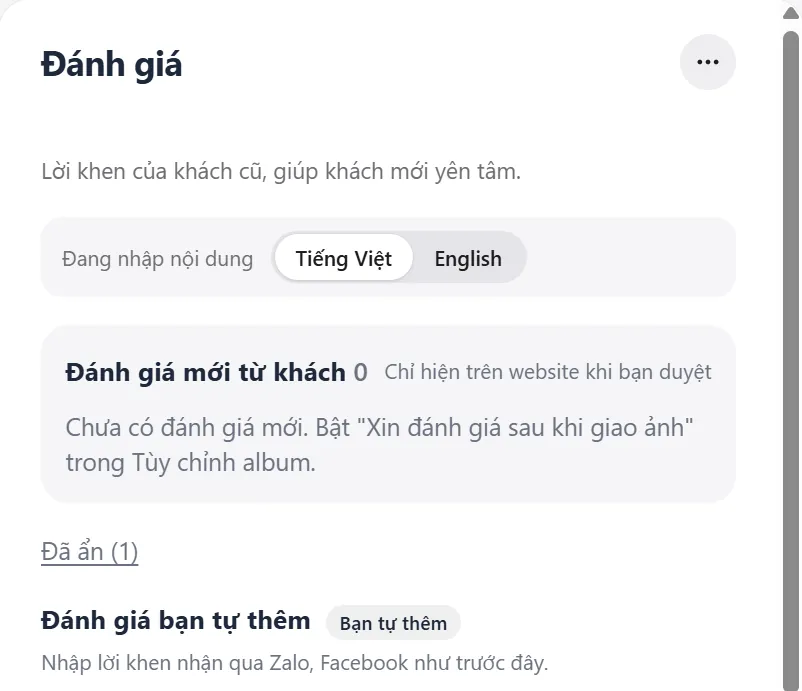
- Turn on Ask for a review after delivery in Customize album.
- New client reviews arrive in the new reviews box. They appear on your website only after you approve them.
- Reviews you do not want to publish go to the hidden list.
- Praise you got earlier on Zalo or Facebook? Add it by hand under the reviews you add yourself.
The number of albums and videos on your website depends on your plan.
Still have a question?
Message Shotpik and we will reply during working hours.