

User guide · 07
Account, plans and rewards
Account info, your own domain, watermark, logo, plan prices and the invite-a-friend rewards.
Updated
Click your picture at the top right for the account menu: account info, settings, website setup, rewards, plan, log out.
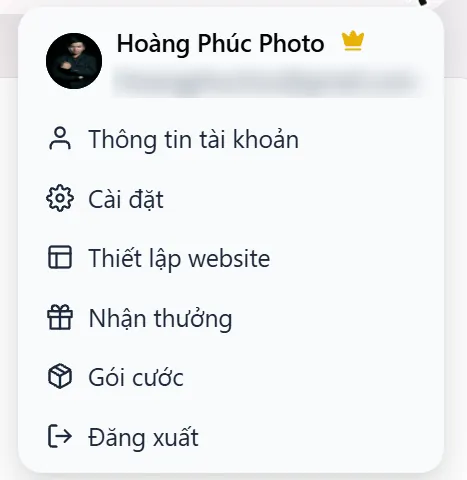
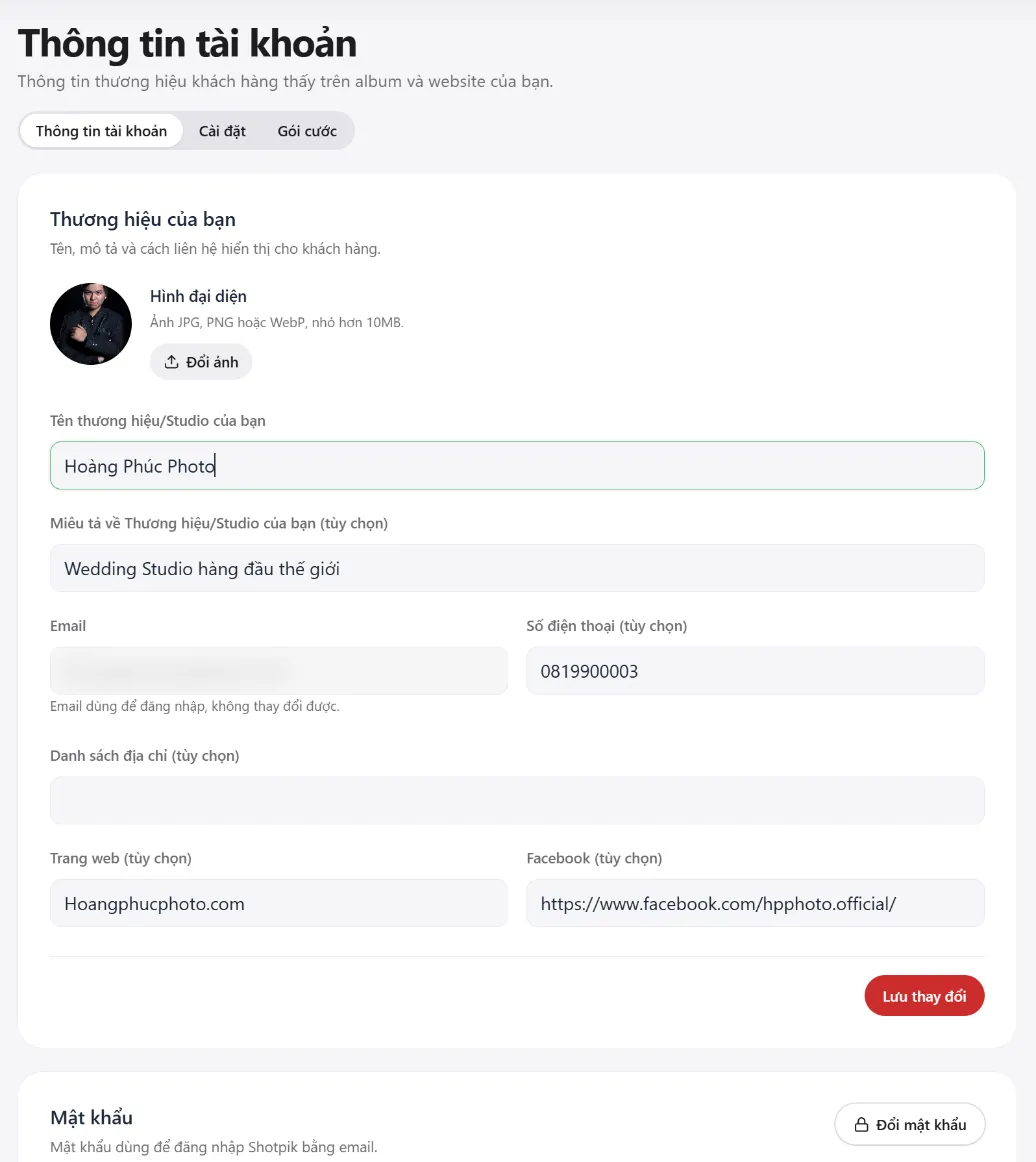
Account info
The name and contacts clients see on albums and your website: picture, brand name, description, phone, addresses, website, Facebook. The login email cannot be changed. The change-password button is below.
Settings: domain, watermark, logo
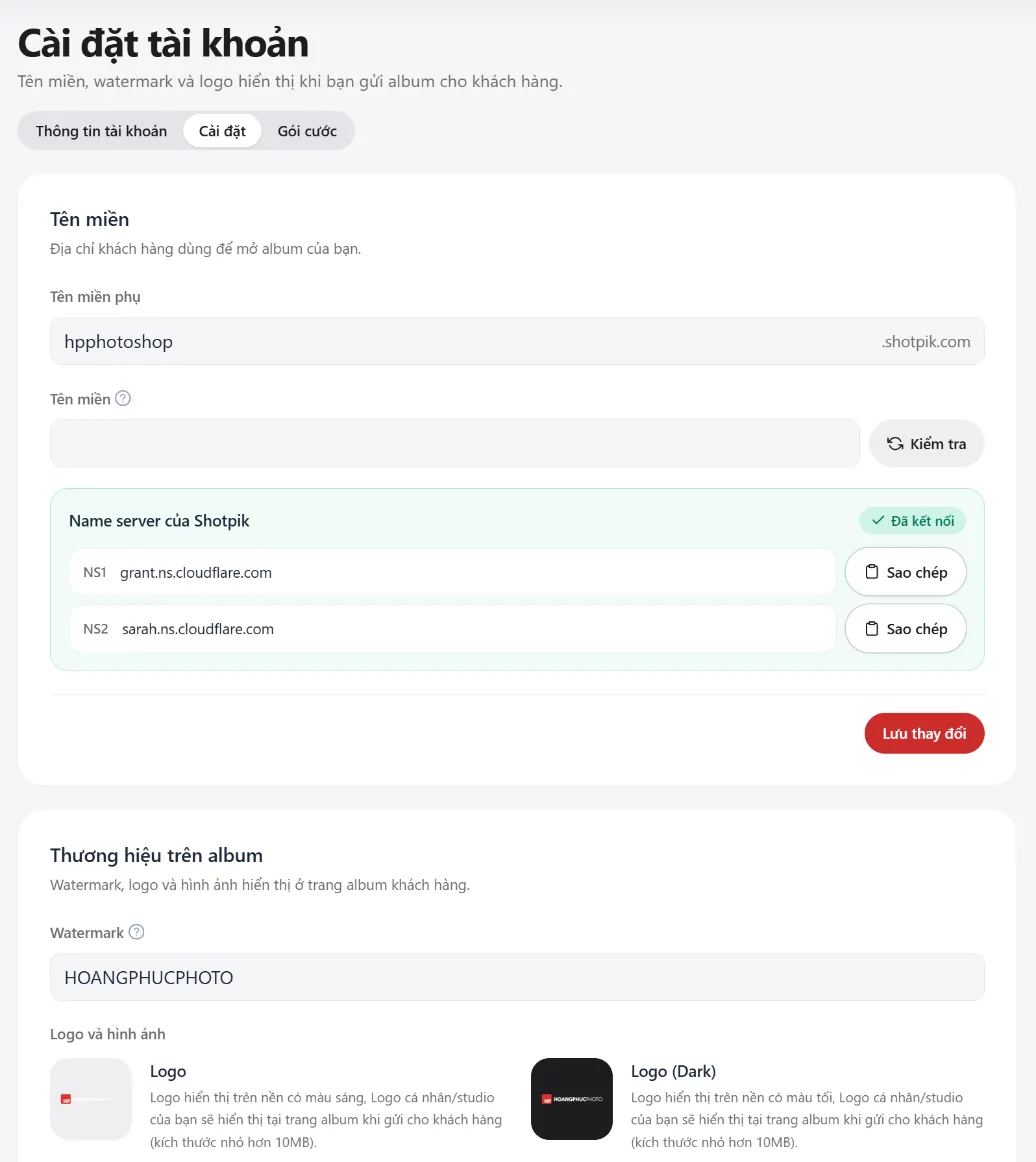
- Subdomain: your album address, for example
hpphotoshop.shotpik.com. - Your own domain: a domain you buy yourself, for example
hoangphucphoto.com. See Your own domain just below. - Watermark: the signature printed on photos when an album has watermark on.
- Logo, Logo (Dark), Favicon, Thumbnail: shown on album pages and when links are shared. Each file under 10MB.
Your own domain
Your own domain lets clients open your albums and website at an address with your studio's name, for example hoangphucphoto.com, instead of your-name.shotpik.com. It comes with the Professional, Master and VIP plans.
Shotpik does not sell or give out domains. You buy the domain yourself from a domain registrar, for about 200,000–300,000đ (around US$8–12) a year for a .com, paid to that registrar. Shotpik only connects the domain you bought to your albums and website, at no extra cost.
Before you buy a domain
- Do not buy the domain from Cloudflare. Domains bought there cannot change their name servers, so they cannot connect to Shotpik.
- Buy a top-level domain only, such as
.com,.vnor.net. Do not buy a second-level domain such as.com.vn,.io.vnor.id.vn: Shotpik cannot connect those yet. - In Vietnam, buy from Mắt Bão or AZDIGI. Payment is easy, support speaks Vietnamese, and they change the name servers for you if you ask (see below).
- Keep the domain for Shotpik only. Once connected, the whole domain points to Shotpik. If it already runs another website or email on that domain (for example
[email protected]), that website and email stop working.
Connect your domain step by step
- Buy a domain following the notes above.
- In Shotpik, click your picture at the top right and choose Settings.
- In the Domain box, type the domain you bought, for example
hoangphucphoto.com. Leave outhttps://,www.and any/at the end. Press Save changes. - A Shotpik name servers box appears below with two addresses, NS1 and NS2. Press Copy next to each one.
- Log in to your registrar's domain management page. Find Name servers (sometimes called "Nameservers" or "DNS"), choose custom name servers, remove the old ones, paste Shotpik's NS1 and NS2, and save.
- Wait about an hour, sometimes longer, up to 24 hours. While you wait, the box in Shotpik says Waiting for update.
- Go back to Settings in Shotpik and press Check next to the Domain box. A green Connected means you are done.
Not technical? Ask your registrar to do it
If you bought from Mắt Bão or AZDIGI, the quickest way is to let them do step 5. After step 4 in Shotpik, open your registrar's management page, create a support ticket and send a message like the one below. Once they are done, you only need step 7.
Sample ticket: "Please change the name servers of yourdomain.com to these two: NS1: (paste the NS1 Shotpik shows), NS2: (paste the NS2 Shotpik shows). Thank you."
If it does not connect
- Check still says "Waiting for update": at your registrar, make sure the two name servers match Shotpik's NS1 and NS2 exactly, then wait a little longer. Some registrars take a few hours.
- "The domain is not in the correct format": remove
https://,www.and any/at the end, so it reads likeyourdomain.com. - The Domain box is locked: your plan does not include this feature. Upgrade to Professional or higher on the Plan page.
Plans
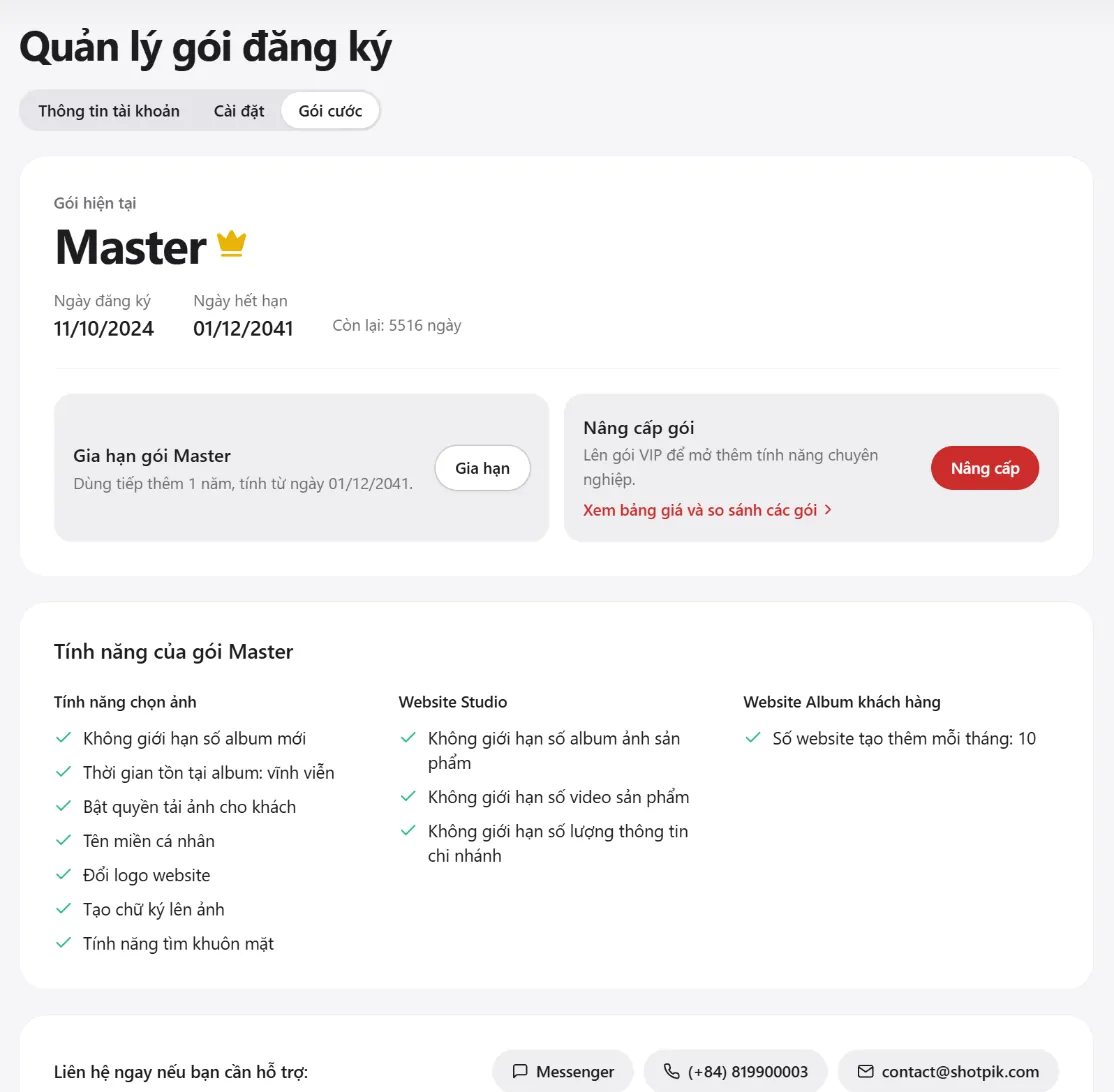
This page shows your plan, sign-up date, expiry date and plan features. Renew for one more year, or upgrade to a higher plan. Pay by bank-transfer QR code, Ngân Lượng or PayPal. Have a discount code? Enter it at checkout.
| Free | Basic | Professional | Master | VIP | |
|---|---|---|---|---|---|
| Price per year | 0đ | 399,000đ | 599,000đ | 899,000đ | 999,000đ |
| New albums per month | 5 | 10 | 50 | Unlimited | Unlimited |
| Client downloads | Yes | Yes | Yes | ||
| Own domain | Yes | Yes | Yes | ||
| Change logo | Yes | Yes | |||
| Find faces | Yes | Yes | |||
| Album websites per month | 1 | 3 | 5 | 10 | Unlimited |
Albums never expire on any plan. Full comparison at shotpik.com/prices.
Rewards for inviting friends
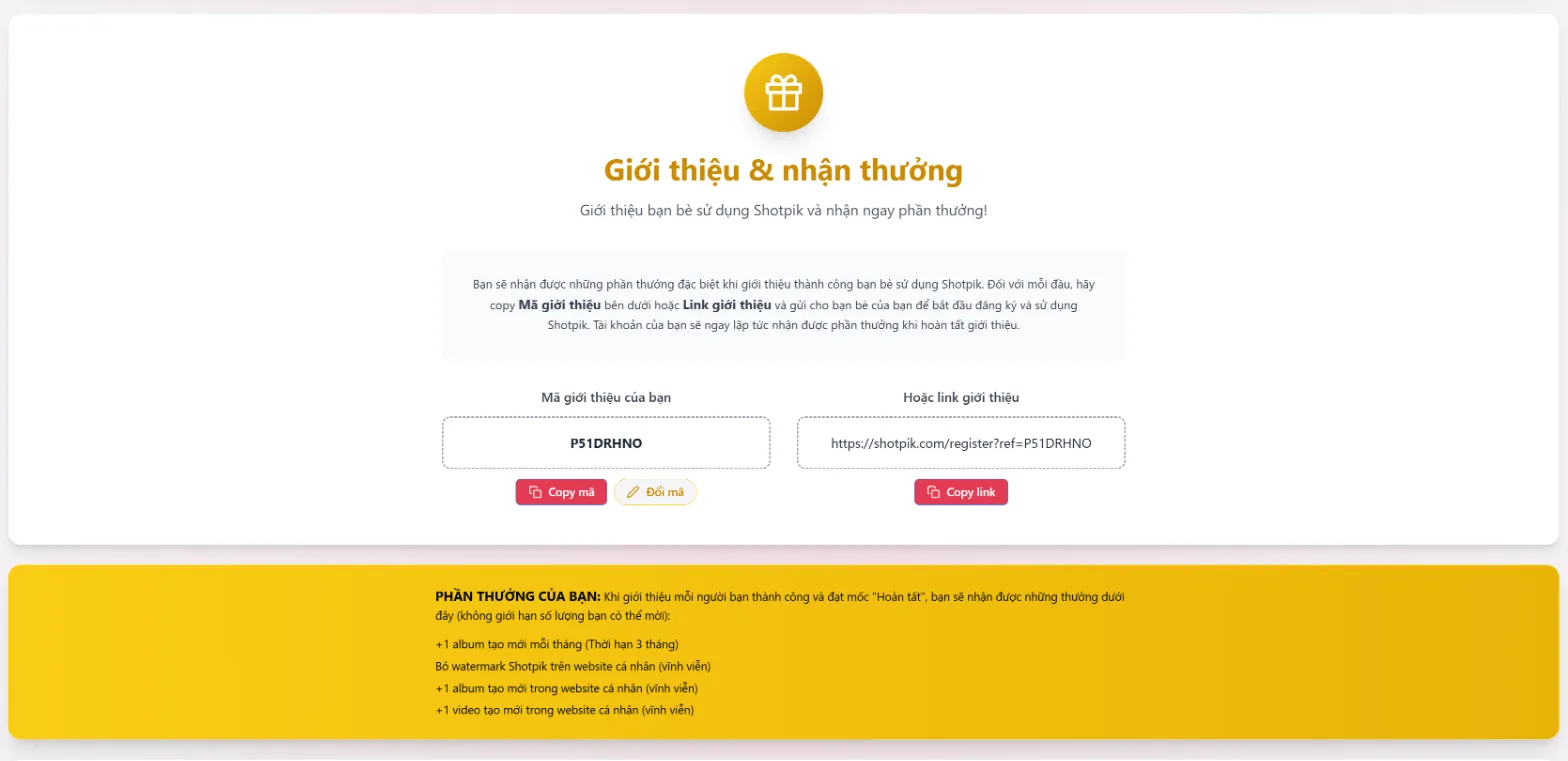
- Press Rewards in the top menu.
- Send friends your invite code or invite link. You can change the code to something easy to remember.
- For every friend who signs up and reaches the "Done" milestone you get: one more album per month (for 3 months), no Shotpik watermark on your personal website, plus one album and one video on your personal website (forever). No limit on how many friends you invite.
Still have a question?
Message Shotpik and we will reply during working hours.