

User guide · 01
Getting started with Shotpik
Sign up, log in and get to know the Shotpik album dashboard.
Updated
Sign up and log in
- Go to shotpik.com and sign up. You can use Google (fastest) or your email.
- Next time, log in the same way you signed up.
- Forgot your password? On the login page, use the forgotten-password link and follow the email.
New accounts start on the Free plan. You can upgrade at any time (see Account, plans and rewards).
The Albums page
After logging in you land on Albums, where every album you have sent lives.
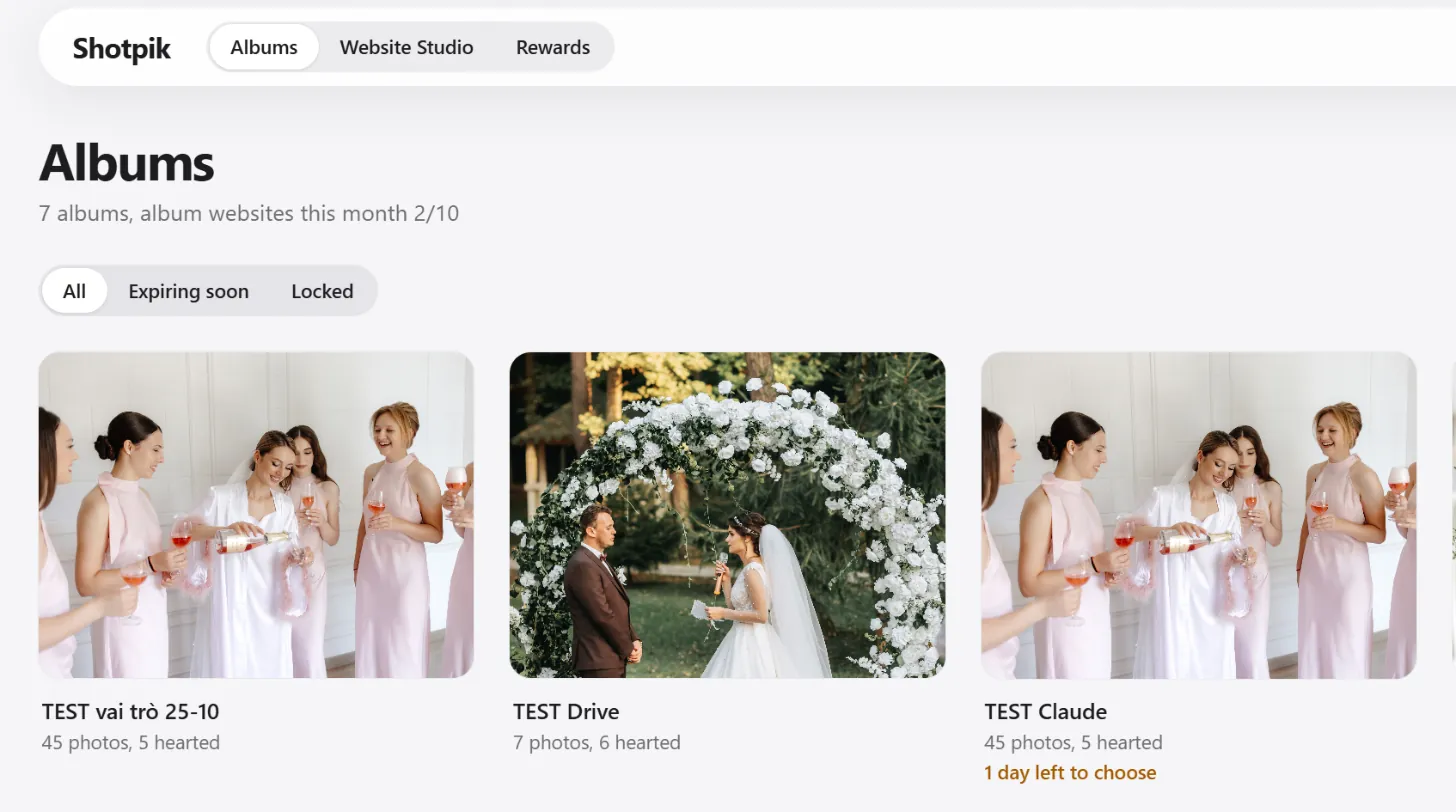
- Top menu: Albums, Website Studio, Rewards.
- Line under the title: how many albums you have and how many album websites you made this month (for example 2/10).
- Filters: All, Expiring soon, Locked.
- Search box: type an album name or a client name.
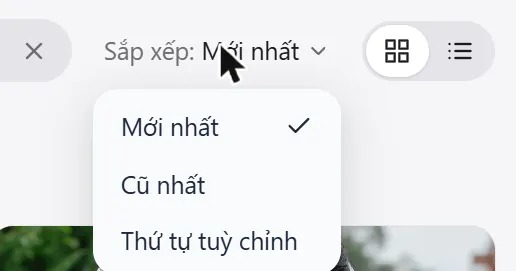
- Sort: newest, oldest, or your own order. In your own order, drag albums to arrange them. The button next to it switches between grid and list.
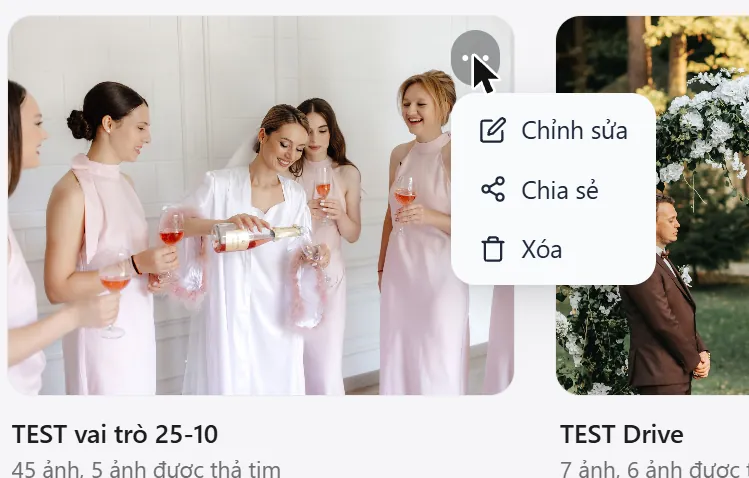
Press the three dots on an album to edit, share or delete it.
Top right corner
- This month x/y albums: albums created this month against your plan's limit (∞ means no limit).
- Question mark: opens this guide.
- Bell: notifications about your albums, for example when a client presses Done.
- VI / EN: interface language.
- Moon: dark mode.
- Red Create album button: make a new album.
- Your picture: the account menu.
Still have a question?
Message Shotpik and we will reply during working hours.